![Scottsdale-KB.png]](https://knowledge.scottsdalesteelframes.com/hs-fs/hubfs/Scottsdale-KB.png?height=40&name=Scottsdale-KB.png)
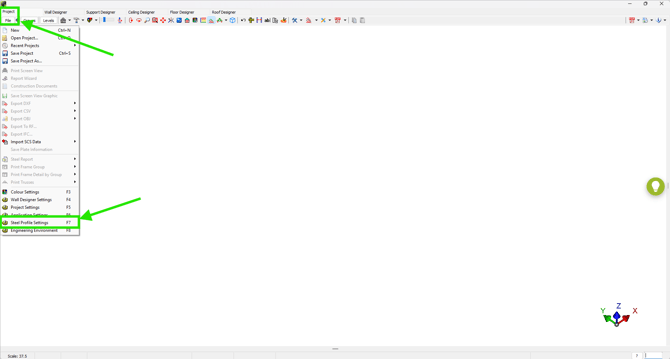
1. Select the Project tab, then click the File button to open the dropdown menu, and choose **Steel Profile Settings**.
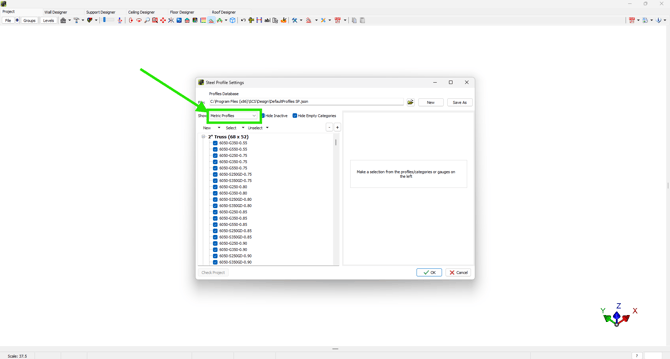
2. Within this menu, select the appropriate unit of measure to make sure the correct steel profiles are active.
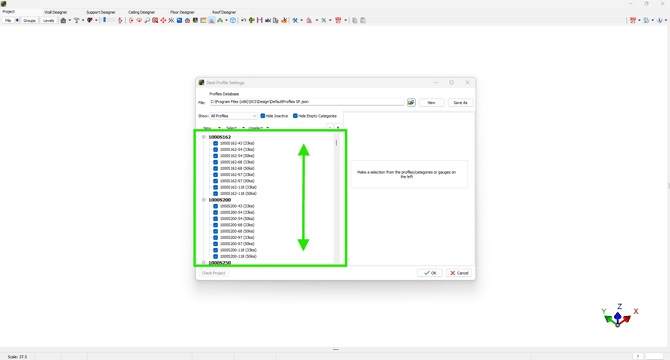
3. Scroll through the list of active profiles and select your required profile to see the properties of the selected profile on the right side of this window.