![Scottsdale-KB.png]](https://knowledge.scottsdalesteelframes.com/hs-fs/hubfs/Scottsdale-KB.png?height=40&name=Scottsdale-KB.png)
Click This Link For PDF Document
*NOTE* Before proceeding ensure pressure is below 2800Psi. If the hydraulic pressure has reached 2800 psi DO NOT adjust
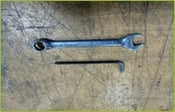
Step 1
Tools Required: 9/16” Spanner, 4mm Allen Key
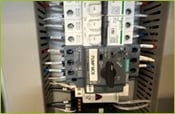
Step 2
Switch the Hydraulic pump motor MCB to off position.
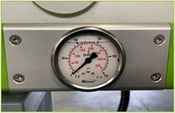
Step 3
Make sure the pressure reads “0” before adjusting the unloader pressure valve.
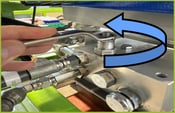
Step 4
Using the 9/16 spanner loosen the pressure cartridge adjuster nut (approx. 1 full revolution).
Step 5
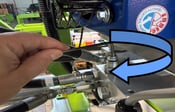
Using the 4mm Allen key insert it in the top of the pressure adjust screw and turn 1/4 revolution clockwise which will increase the pressure.
Step 6
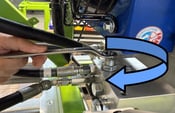
Using the 9/16 spanner tighten the pressure cartridge adjuster nut.
Step 7
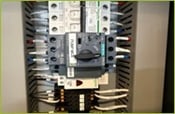
Turn the hydraulic pump motor MCB switch ON.
Step 8
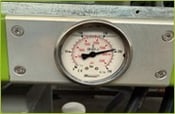
Wait for the hydraulic pressure to build up. Once the unloader block unloads the max pressure is reached. The required pressure is 2800psi.
Further adjustments may be required to be made, adjusting in 1/4 turn increments until the required pressure is reached.
NOTE: Please be aware that if the pressure reaches 3000 psi, the safety relief valve will activate, redirecting the oil back into the tank causing continues unloading of the hydraulic pressure. At that point, it will be necessary to adjust and decrease the pressure.