![Scottsdale-KB.png]](https://knowledge.scottsdalesteelframes.com/hs-fs/hubfs/Scottsdale-KB.png?height=40&name=Scottsdale-KB.png)
Click This Link For PDF Document
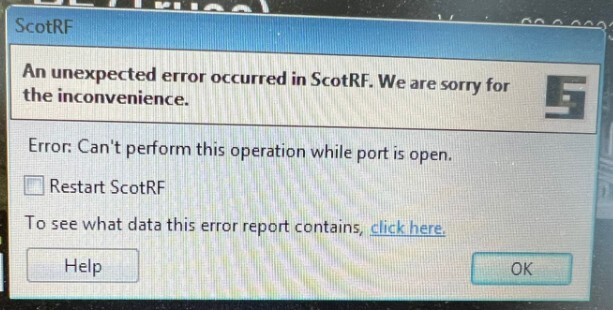
Explanation
- The USB/Serial communication port (COM port) was still busy/locked when ScotRF tried to connect.
- The software was started too quickly after Windows boot or after plugging in the USB.
- A leftover process from a previous session was still holding the port.
- Rarely, the USB driver/device may hang in Windows Device Manager.
Possible resolution
Wait before using software: After launching ScotRF, wait 10–15 seconds before clicking buttons or loading jobs.
Close and restart properly: If the error appears, close ScotRF completely. Re-open after 10–15 seconds.