![Scottsdale-KB.png]](https://knowledge.scottsdalesteelframes.com/hs-fs/hubfs/Scottsdale-KB.png?height=40&name=Scottsdale-KB.png)
Click This Link For PDF Document
Problem/Question
Leading notch edge jamming on 7090G2/5140G2 panel machine.
Explanation
Manufactured items that have the notches punched at the leading end of an item get jammed as it exits through the cut-off die.
Possible resolution
Increase station 4 roller pressure.
Useful tip
The 5 series run 8x 2mm thick Belleville washers in station 1,2 and 3. 9x 1,75mm Belleville washers in station 4 and 5.
The 7 series run 9x 1.75mm thick Bellevile washers in all stations.
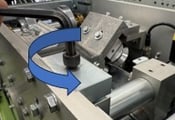
Step 1
Release pressure on the M8 set screw by turning ant-clockwise 2 full revolutions
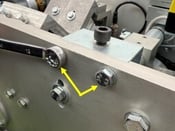
Step 2
Loosen and remove the locking bolts to remove the jack block.
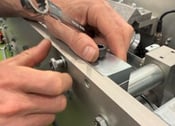
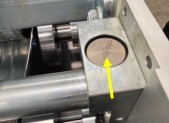
Step 3
Remove the top spacer.
Step 4
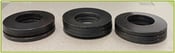
Remove the 9 Belville stack washers, taking note of the stack configuration (3 facing down – 3 facing up – 3 facing down.
Step 5
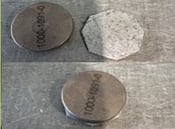
Using the coil stock 1.2mm(18g) cut a shim the size of the spacer.
Step 6
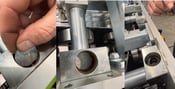
Insert the shim into the side block pocket then replace the Belville spring washers using the same stacking configuration as they were removed.
Step 7
Replace the spacer back on top of the stack.
Step 8
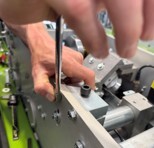
Place the jack block back in position and secure tightly.
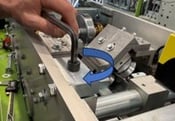
Step 9
Tighten back down the M8 set screw till the set scew locks down on the jack block.
Step 10
****Repeat the process on the other side of the station 4 roller*****